Show the clothes you sell on a model on social media – no photo shoot needed
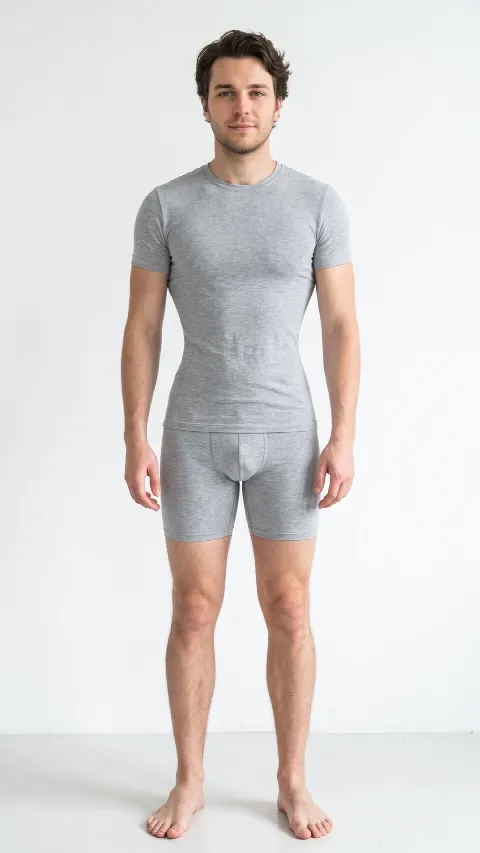
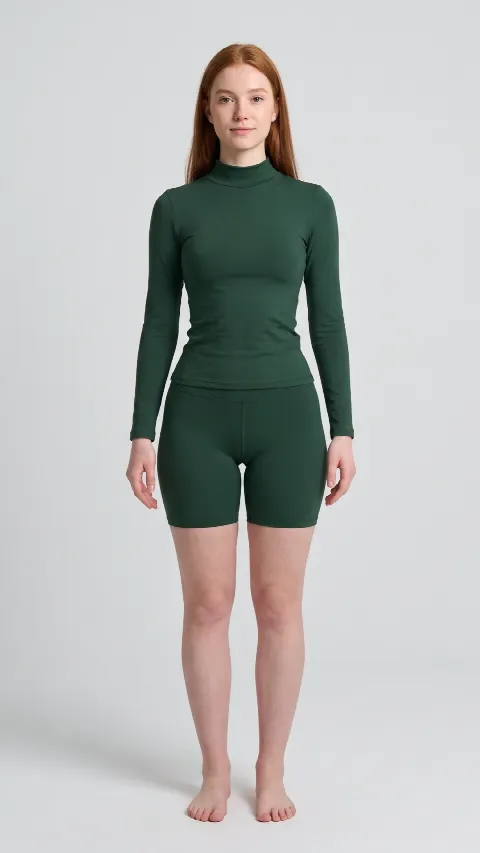
MiriYou is a free Android and iPhone app with an AI virtual try-on that helps you sell clothes. Take a photo of an item, pick a MiriYou model – 6 female models and 1 male model, each in five body types – and within 10–20 seconds you get a photo of that item on the model, ready for a TikTok video or an Instagram or Facebook post.
- Free app
- Android and iPhone
- AI characters – not real people
MiriYou for sellers – key facts
- Choose from 6 female models and 1 male model, each in 5 body types – hourglass, pear, apple, rectangle and inverted triangle. More are coming.
- MiriYou models are AI-generated characters, not real people – your photo shows no real person's likeness.
- All you need is a photo of the item: on a hanger, laid flat, or a product photo.
- Result in 10–20 seconds: a vertical full-body photo you can download or share straight from the app.
- You don't have to show yourself – the try-on uses a MiriYou model.
- The app is free on Google Play and the App Store; new accounts get free try-ons that renew every 7 days.
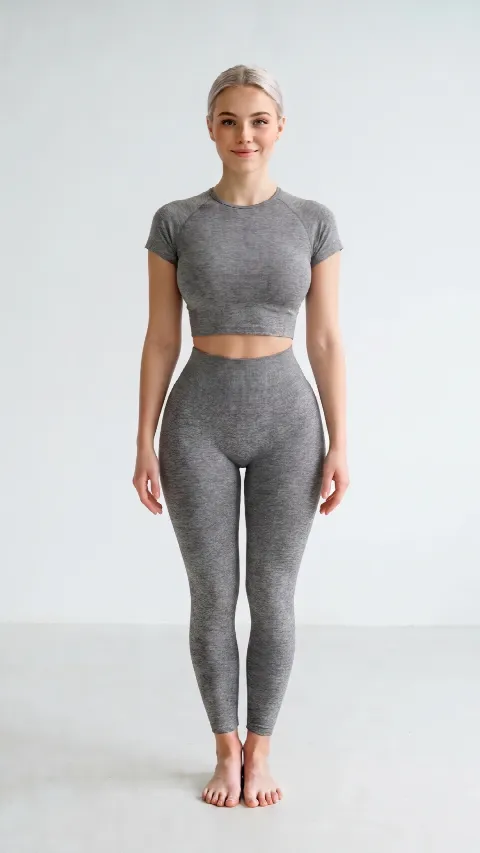
MiriYou models – 6 female models and 1 male model, 5 body types
MiriYou models are AI-generated characters, not real people. Each one comes in five body types, so buyers can see how an item fits a figure like their own. Pick a model and a body type below – you choose them the same way in your profile in the app.
Pick a model
Body type
This is the model your clothes will be tried on. Change the body type to see a different build. Guide →
How to put clothes on a model with MiriYou
- Install MiriYou and choose a modelDownload the free app from Google Play or the App Store. In your profile set the gender and body type, and instead of your own photo choose “Use the MiriYou model”.
- Photograph the itemTake a photo of the item on a hanger or laid flat, in good light, on a plain background. A product photo from a store works too.
- Try it onOn the Try On tab tap “Upload Garment”, add the photo and hold the button to try it on. After 10–20 seconds the finished photo appears in your in-app wardrobe.
- Post it on social mediaDownload or share the photo and add it to a TikTok video, an Instagram post or Story, or a Facebook post – next to your own photos of the item.
Why a photo on a model helps clothes sell
- Buyers see the cut and length on a body, not just a flat item on a bed or hanger.
- No mannequin, photographer or friend to model the clothes.
- All your posts look consistent – the same model, the same background, a recognisable profile.
- Change the body type in your profile to show the same item on different figures, so buyers can judge whether it will suit them.
- Vertical full-body photos look great in Stories, Reels and on TikTok.
- Menswear too – show it on a MiriYou male model in five body types.
Where to use MiriYou photos
TikTok
Show the item on several body types in one video, or do a “hanger → on the model” transition. The vertical format fits without cropping.
Model photos work well in carousel posts, Stories and Reels – especially when you sell several pieces from one wardrobe or run a small shop.
A photo on a model gets attention in a profile post, in selling groups and on Marketplace – anywhere buyers decide from pictures.
Vertical full-body photos are Pinterest's natural format – pin your outfits and send traffic to your shop or profile.
Sell honestly: the model photo is an extra, not a replacement
A MiriYou photo is an AI-generated visualisation – it shows how the item may look on a body, but colour, texture or fit can differ slightly from reality. To make sure buyers know what they get:
- Always add real photos of the item too: the whole piece, the label and any flaws.
- Say in the description that the model photo is an AI visualisation (e.g. “model photo: MiriYou visualisation”).
- Never use a visualisation to hide flaws or make an item look better than it is.
- Check the current rules of the platform you sell on.
Questions from sellers
Can I use MiriYou for TikTok and Instagram photos?
Yes. MiriYou shows a clothing item on a model (6 female models and 1 male model) in 10–20 seconds, and you can download the vertical photo and add it to a TikTok video, an Instagram post, carousel or Story, or a Facebook post. Use it alongside real photos of the item and mention in the description that it is an AI visualisation.
How many models does MiriYou have?
MiriYou has 6 female models and 1 male model. Each one has photos in five body types – hourglass, pear, apple, rectangle and inverted triangle – so the same item can be shown on different body shapes. More are coming.
Are the MiriYou models real people?
No. All MiriYou models are AI-generated characters – they don't exist, so your post doesn't show any real person's likeness. The try-on photo itself is an AI visualisation too.
Do I have to upload a photo of myself?
No. Instead of your own photo you can choose a MiriYou model matched to the selected body type. Try-ons are then made on the model's photo and you don't show yourself.
What kind of clothing photo works best?
A clear photo of the whole item works best: on a hanger or laid flat, in good light, on a plain background, with no other clothes in the frame. A product photo from a store works too.
How much does it cost?
The app is free. Each try-on uses one credit; new accounts get free credits and the free pool renews every 7 days. More try-ons are available in the app as a subscription or a one-time pack. A failed try-on refunds the credit.
Can I show the same item on several body types?
Yes. You can change the body type in your profile at any time and MiriYou switches to the model with that body shape. One account can also have up to 6 profiles.
Can the model photo differ from the real item?
Yes, it is an AI visualisation – colour, texture and fit may differ slightly. That's why a post should always include real photos of the item and a note that the model photo is a visualisation.
Which phones does MiriYou work on?
MiriYou works on Android (Google Play) and iPhone (App Store).